
The One-Sentence Rule, and the Exceptions
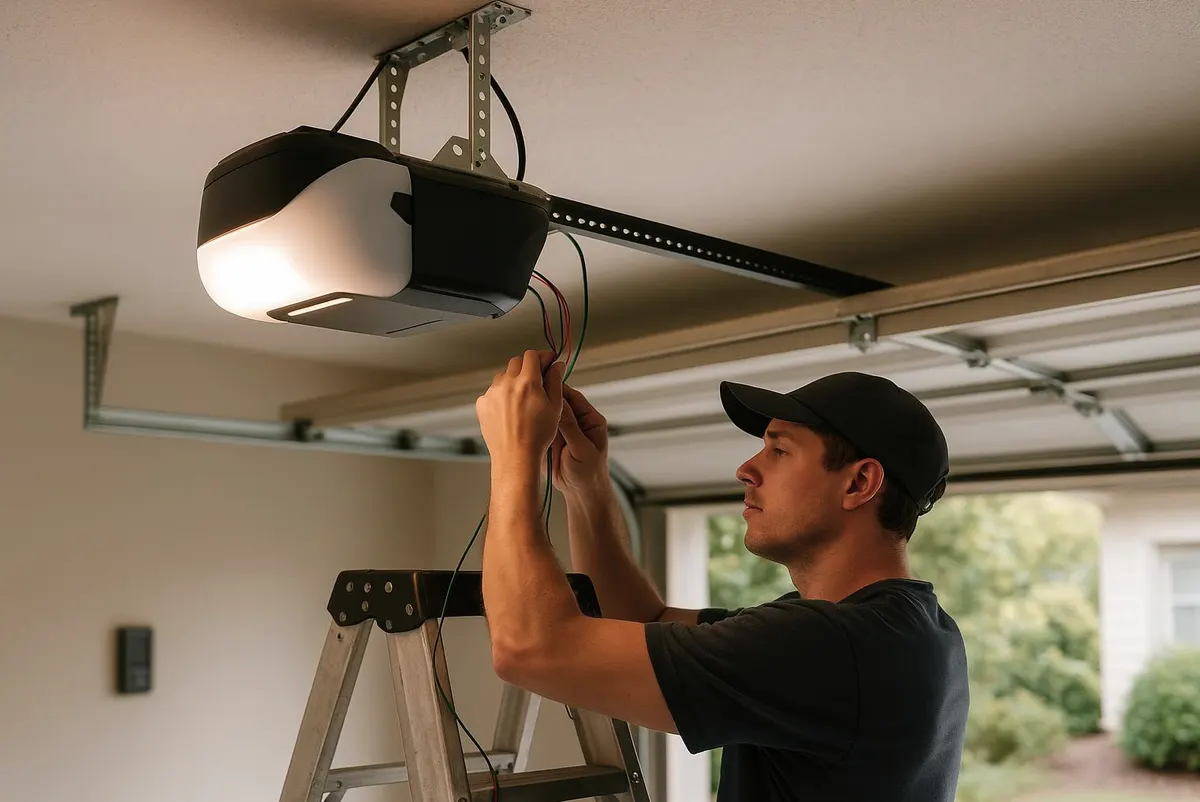
If you can see the opener's motor unit (the box mounted on the ceiling of your garage), you can almost always program a new remote or keypad code yourself in under ten minutes. The exceptions: if the opener is more than 15-20 years old and uses fixed dip-switch codes instead of rolling codes, if the wall console or circuit board looks damaged or scorched, or if you've lost a remote and also can't locate the opener's manual or model number to confirm how to wipe old codes. In those cases, call a technician rather than guessing, since forcing the issue on an old board can damage it.
What You'll Need
- A step stool or ladder tall enough to reach the opener unit comfortably
- The remote(s) and/or keypad you want to program
- Your opener's model number (usually on a sticker on the side or front of the motor unit)
- A fresh battery for the remote or keypad, since weak batteries are the single most common cause of "programming won't take" complaints
- A phone or tablet if you want to look up your opener's manual online (Chamberlain, LiftMaster, Genie, and Craftsman all post manuals by model number)
Step-by-Step: Programming a New Remote or Keypad
- Locate the "Learn" button on the opener's motor unit. On most modern openers it's a small colored button (often purple, yellow, or orange) near where the antenna wire hangs down.
- Press and release the Learn button. An indicator light near the button will blink for about 30 seconds — this is your window.
- On the remote, press and hold the button you want to use until the opener's motor unit lights, clicks, or beeps to confirm the code was learned.
- For a keypad, enter a 4-digit PIN of your choosing, then press and hold the Enter or program button until you get the same confirmation.
- Test from outside the garage before you walk away. Press the button or enter the PIN and watch the door fully open and close.
- Repeat the process for each additional remote or vehicle-mounted button you want to add. Most openers hold multiple codes in memory at once.
Step-by-Step: Changing Your Keypad Code
- Press and hold the asterisk (*) or Enter button on the keypad for a few seconds until the light blinks, signaling it's in programming mode.
- Enter your new 4-digit code.
- Press Enter or the hash/pound key to save it.
- Test the new code immediately, and physically discard or shred any sticky note, garage whiteboard, or phone note listing the old code.
Change the keypad code at least once a year, and immediately after any house sitter, contractor, dog walker, or short-term renter has had it — it's the easiest security step to put off and the one that matters most.
Lost or Stolen Remote: What to Do Immediately
- Don't just hide a spare key or stop using the garage. A lost remote that still works is a standing risk until the code is wiped.
- Go to the opener's motor unit and press and hold the Learn button for about 6-10 seconds, until the indicator light turns off. This clears every remote and keypad code stored in memory — not just the lost one.
- Reprogram every remote, keypad, and vehicle button you still have and want to keep, using the steps above.
- If you use a smart garage control app (like myQ or similar), update the password on that account and remove the device from any shared family accounts if the phone was also lost.
- If the opener is old enough that you can't find a Learn button, or if clearing memory doesn't fully erase the lost remote's code, stop and call a technician — this usually means the board needs to be reset or replaced.
What a Homeowner Can Handle vs. What Needs a Technician
Programming remotes, changing a keypad PIN, swapping batteries, and wiping all codes after a loss are all homeowner-safe tasks — they involve no wiring, no spring tension, and no risk of the door falling. Call a technician instead when: the Learn button doesn't respond at all (often a sign of a failing circuit board), the opener is old enough to use dip switches rather than rolling codes (these are easier to clone and worth upgrading), the wall console is hardwired and you're not comfortable working near low-voltage wiring, or the door opens with the remote but won't close, which can point to a misaligned safety sensor rather than a programming problem.
A Local Wrinkle Worth Knowing
Deep cold snaps are hard on keypad batteries and on the rubber buttons themselves — a remote that worked fine in September can start acting sluggish once temperatures drop and ice forms on an unheated garage's keypad housing. Before winter sets in, replace remote and keypad batteries, and wipe down the keypad buttons so road salt and grime don't build up in the gaps. It's a five-minute task that saves you from fumbling with a frozen, unresponsive keypad in a snowstorm.
When to Call Spring Lake Door & Opener
If your opener is old enough to lack a Learn button, if the remote and keypad programming won't "take" no matter how many times you try, or if a remote works intermittently alongside other symptoms like grinding noises or a door that reverses on its own, it's time to call us. We handle Garage Door Opener Installation & Repair for every major brand, and if your current opener is aging out, we can walk you through upgrading to a rolling-code or smartphone-enabled system that's much harder to clone than an old fixed-code remote. We also offer Garage Door Maintenance visits that check your opener's sensors, wiring, and hardware before winter weather makes small issues worse.
If a remote programming issue turns out to be something bigger, Spring Lake Door & Opener is ready to help homeowners throughout Spring Lake, Grand Haven, Ferrysburg, and the surrounding lakeshore. Give us a call and we'll get your garage door and opener working reliably before the snow flies.